Free Job Application Tracker: Automated and Always Up to Date
Stop updating a messy Google Sheets or Excel file by hand. LoopCV is a free job search tracker that logs every application automatically, shows you where you stand across every stage, and applies to new roles while you focus on interviews.
Why a Google Sheets job application tracker isn't enough
A spreadsheet works for 10 applications. It breaks at 50, and it never auto-updates.
| Feature | LoopCV | Google Sheets / Excel |
|---|---|---|
| Auto-populate new applications | ✓ | ✗ |
| Real-time status updates | ✓ | ✗ |
| Drag-and-drop Kanban pipeline | ✓ | ✗ |
| Automatic job matching & apply | ✓ | ✗ |
| Response rate analytics | ✓ | ✗ |
| Follow-up reminders | ✓ | ✗ |
| No setup required | ✓ | ✗ |
| Free to use | ✓ | ✓ |
Replace your spreadsheet in 2 minutes
Start fresh or add your existing applications manually. Your tracker is ready immediately.
Start freeHow the job application tracker works
Create a free account in 60 seconds
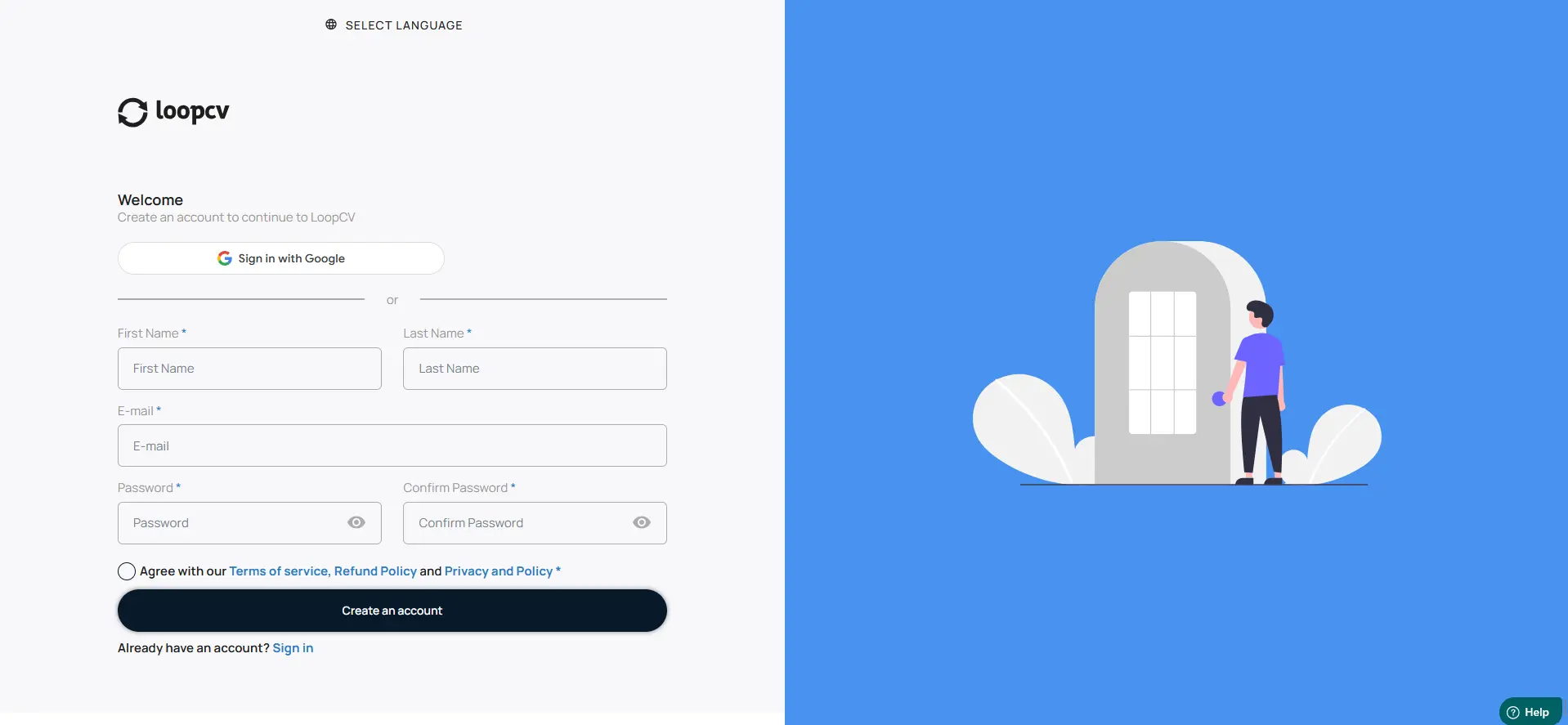
Sign up with your email. No credit card required. Once you're in, your Job Application Tracker is ready immediately. Add your CV and preferences, and LoopCV starts matching you to relevant roles across 20+ job boards.
Start tracking free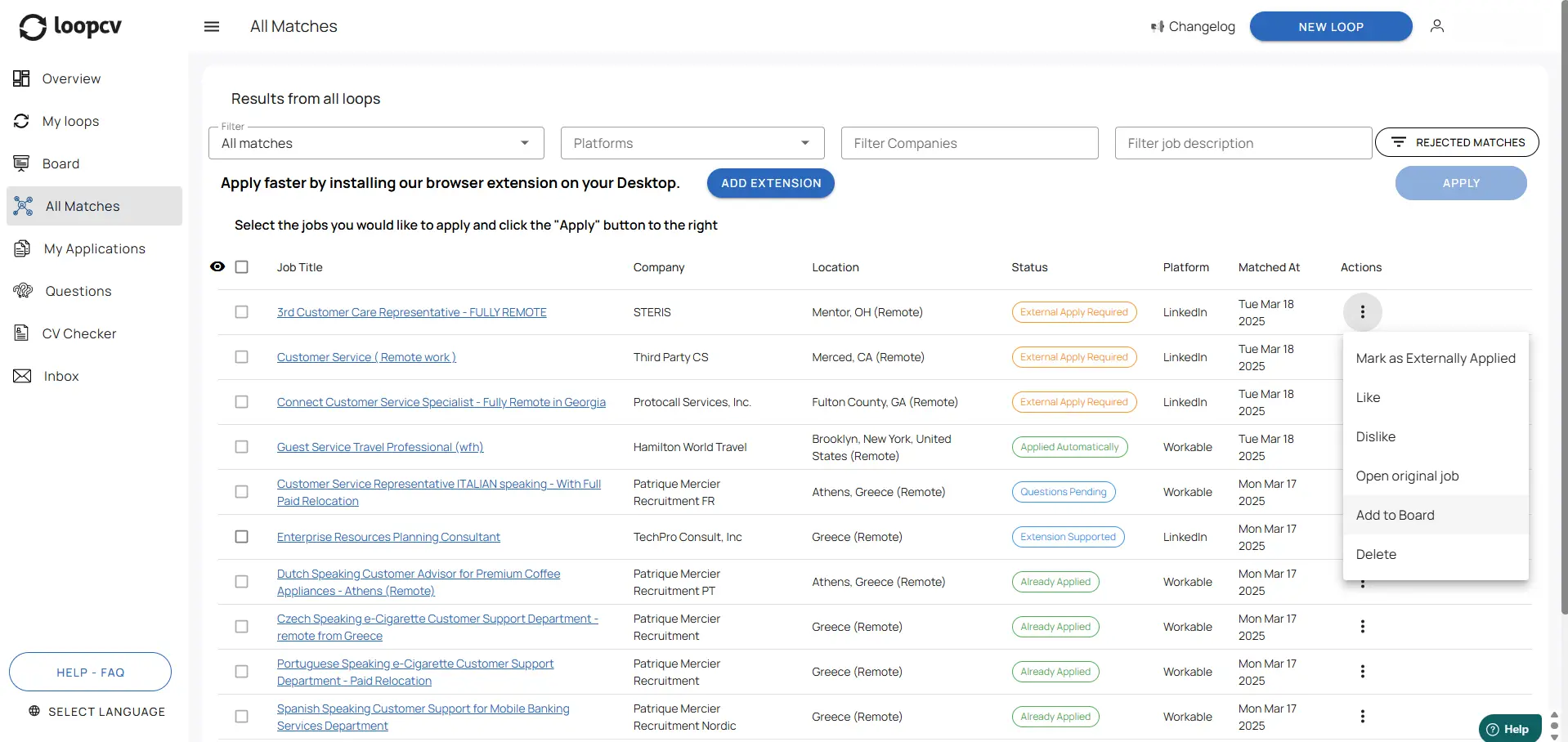
Add jobs automatically or manually
Jobs you apply to through LoopCV land in your tracker instantly under 'Applied'. Applied somewhere else? Hit 'Add New Job' to import any role in seconds, so your entire pipeline stays in one place. No copying from emails or spreadsheets.
Start tracking free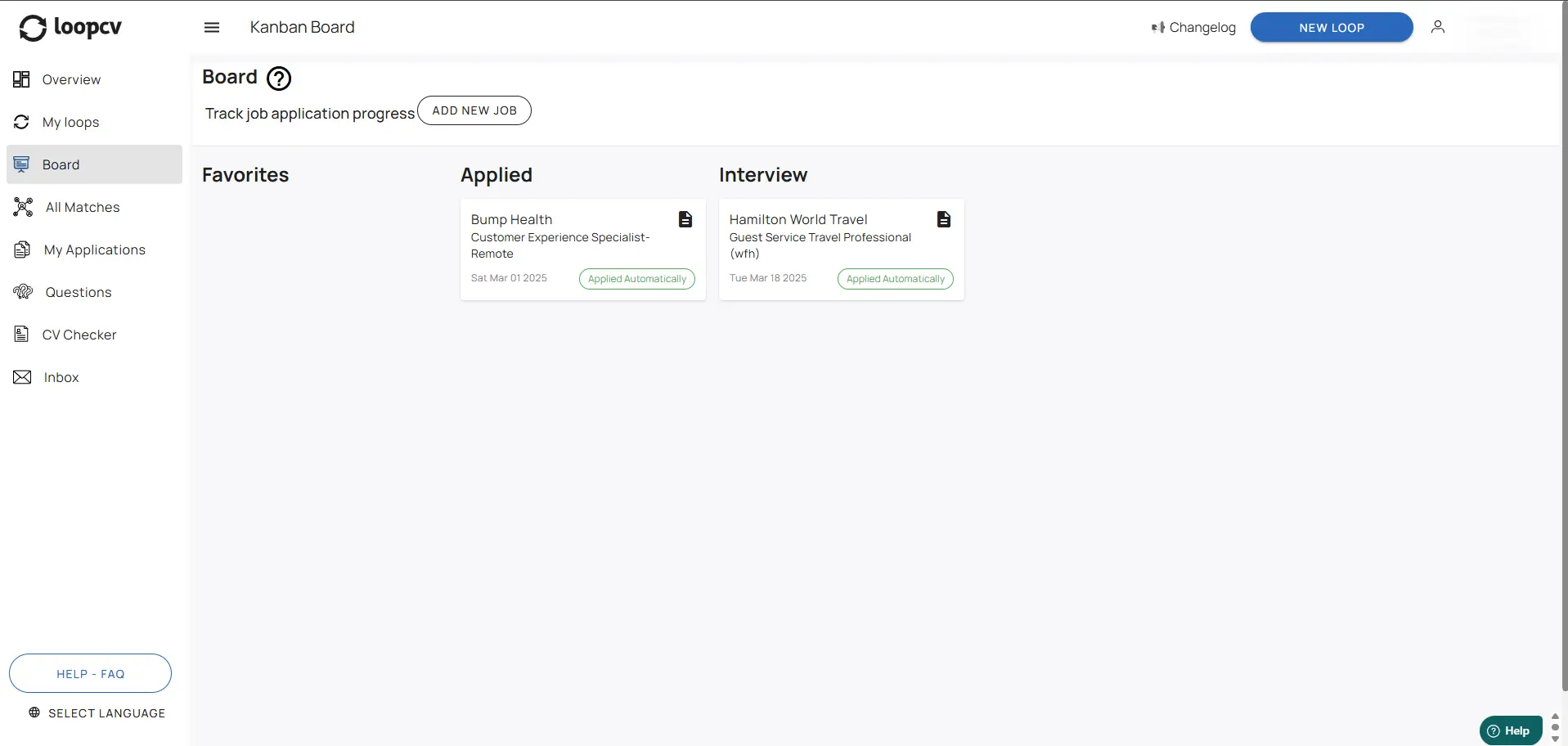
Track every stage to your offer
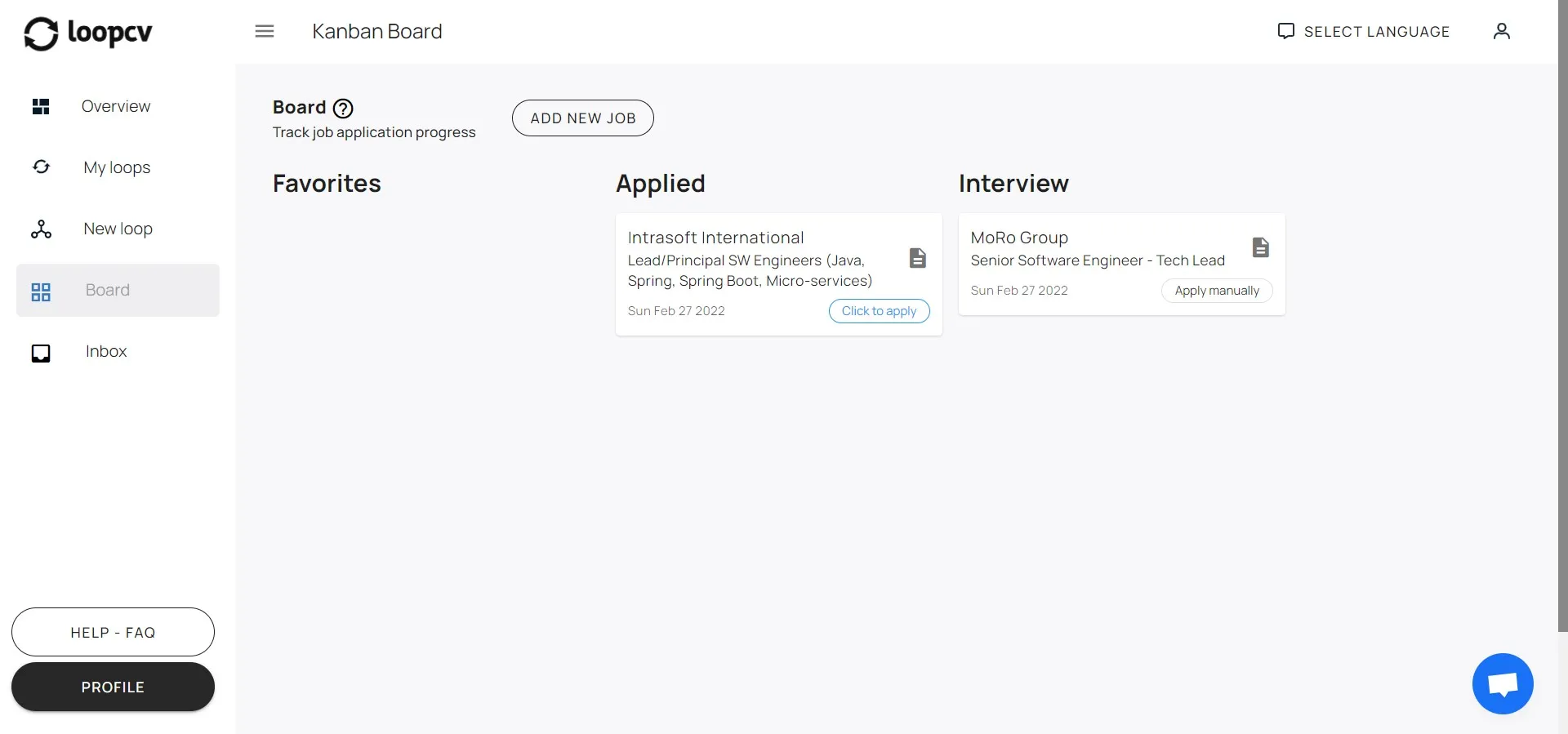
Drag application cards across your pipeline: Saved → Applied → Screened → Interview → Offer. See response rates, follow-up reminders, and application analytics, all updated in real time without touching a spreadsheet.
Start tracking freeEverything in one job application tracker
From discovery to offer: no spreadsheet, no email digging.
Kanban pipeline view
See every application as a card across Applied, Screened, Interview, Offer, and Rejected. Drag to update status in one click.
Auto-tracking
Applications submitted through LoopCV appear in your tracker instantly. Zero manual entry for anything you auto-applied to.
Manual add in seconds
Applied outside LoopCV? Add any job by pasting the URL or filling a quick form. Your full pipeline stays in one place.
Response analytics
See your response rate by job board, role type, and experience level and improve what isn't working.
Follow-up reminders
Set a reminder on any application. Never miss the optimal follow-up window again.
Works on any device
Desktop, tablet, or phone: your tracker syncs automatically so you always have the latest view.
Free Interview Tracker — Every Round, Every Company
Once your application reaches the Interview stage, LoopCV keeps every detail in one place: which round you're on, when it's scheduled, and when to follow up.
Track every interview round
See all your active interviews at a glance across every company — phone screen, technical, and final rounds — without digging through emails.
Follow-up reminders built in
Set a reminder on any application card. Never miss the 24-hour window to send a thank-you or the 5-day window to follow up after a final round.
Know your interview rate
Your Dashboard shows what percentage of applications reach the interview stage — so you can see what's working and where to improve.
Replace your interview tracker spreadsheet
LoopCV updates your interview pipeline automatically — no manual status changes needed.
Start tracking freeLoopCV vs Teal job tracker: what's the difference?
Both tools track your applications. Only one automatically finds and applies to new ones.
| Feature | LoopCV | Teal |
|---|---|---|
| Job application tracking (Kanban) | ✓ | ✓ |
| Auto-apply to matched jobs | ✓ | ✗ |
| Job board aggregation | 20+ boards | Chrome extension |
| Response rate analytics | ✓ | ✗ |
| AI resume builder | ✗ | ✓ |
| Free plan | ✓ | ✓ |
Frequently Asked Questions
We've got answers. Find more on our support page. .
What is the Job Application Tracker (Kanban Board)?
The Job Applications Tracker is a Kanban-style board that allows you to track and manage your job applications in one place. It provides a visual overview of your application progress by organizing your applications into different stages of the hiring process.
How does the Job Application Tracker work?
The Job Applications Tracker displays your job applications as cards, grouped into columns such as Favorites, Applied, Interview, Saved, Screened, Offer, Withdrew, Rejected, Archive, and Hired. As your application progresses, you can move each card between columns to reflect its current status.
Is there a free job application tracker?
Yes. LoopCV's job application tracker is free to use with no credit card required. You get full access to the Kanban board, manual job adding, and pipeline tracking on the free plan. Paid plans unlock auto-apply and advanced analytics.
Can I use Google Sheets to track job applications?
You can, but a Google Sheets job application tracker requires constant manual updates, doesn't connect to job boards, and has no built-in reminders or analytics. LoopCV is a purpose-built alternative that auto-tracks every application and updates your pipeline in real time, for free.
Is there a job application tracker Excel template or Google Sheets template?
Yes. We offer a free downloadable job application tracker template for both Excel and Google Sheets. However, if you'd like automatic tracking without manual data entry, LoopCV's free app handles that automatically from the moment you sign up.
How is LoopCV different from Teal as a job tracker?
Teal is a strong resume builder with a job tracker. LoopCV focuses on job application automation: it aggregates roles from 20+ job boards, applies on your behalf, and automatically populates your tracker. If you want to apply at scale and track outcomes, LoopCV is the better fit. If you need deep resume editing tools, Teal complements that well.
What information is shown on each application card?
Each job application card includes key details such as the job title, company name, application date, and whether the application was submitted automatically. This allows you to quickly review and manage your applications at a glance.
Can I manually update the status of a job application in the tracker?
Yes. You can drag and drop job application cards between columns to update their status at any time. This allows you to keep your tracker aligned with your real-world job search progress.
Are job applications automatically added to the tracker?
Yes. Job applications submitted through your Loops are automatically added to the tracker under the Applied stage. From there, you can manage and update their progress as needed.
Can I add job applications manually?
Yes. You can click the 'Add New Job' button to manually add applications that were submitted outside the platform, allowing you to track all your job applications in one place.
What is the purpose of the Favorites and Saved stages in the job application tracker?
The Favorites and Saved stages allow you to organize job opportunities you are interested in but haven't applied to yet. This helps you keep track of potential opportunities and prioritize your next steps.
Is there a free interview tracker?
Yes. LoopCV's Kanban board includes a dedicated Interview stage that acts as a free interview tracker. Once an application moves to Interview, you can log which round you're on, set a follow-up reminder, and track your interview rate across all companies in the Dashboard. No separate spreadsheet needed.
How do I track job interviews across multiple companies?
Move any application card to the Interview column in LoopCV's Kanban board. You'll see every active interview at a glance, set round-specific reminders, and get notified when it's time to follow up. The Dashboard tracks your overall interview rate so you know which sources and role types are converting best.
What is a job search tracker and do I need one?
A job search tracker (also called a job application tracker) is a tool that records every role you apply to, the stage it's at, and any follow-up actions needed. If you're applying to more than a handful of jobs, a tracker is essential — without one, applications fall through the cracks and you lose visibility on your pipeline. LoopCV's free job search tracker goes further: it auto-populates every application you submit through the platform, so your tracker stays up to date without any manual work.
Why should I use the Job Application Tracker?
The Job Application Tracker helps you stay organized, monitor your progress, and manage multiple job applications more efficiently. It ensures that no opportunity is overlooked and gives you a clear view of where you stand in each application process.